Have you ever thought about making your own website? I personally have always wanted to, but thought I would never have enough knowledge of technology to. In my digital writing class this week we used a website called Weebly to create our own website.
Not going to lie I was definitely intimidated at first, but www.weebly.com made it so easy and simple to go through the process. The website takes you step by step and holds your hand through creating a page, and adding your own personal flare. The only thing you have to do is create an account and you’re on the road to ruling the internet.
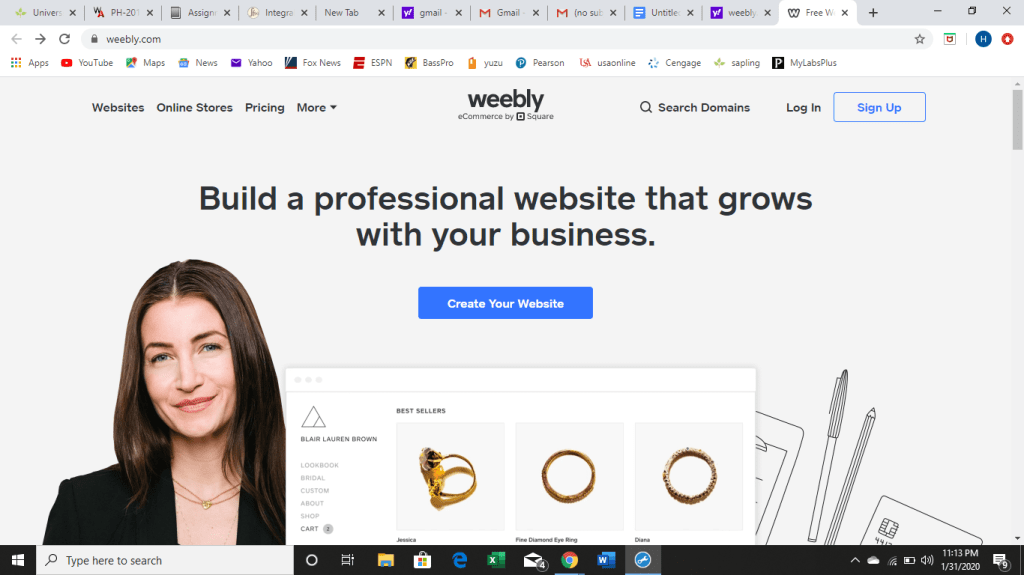
Below is a screenshot of what the website looks like when you first type it into the browser. After clicking “Create your website” it will take you through the steps below.
- After creating an account it asks you to pick a theme for your website. Weebly provides you with a variety of themes to choose one, so you can pick something that matches with your personal preferences. I picked one with a lot of images because I wanted my website to have pictures of athletes on it and a white background. I will most likely keep the lineup of the theme the same because I like how crisp and organized it looks. However, I will obviously change the pictures, font, and content to fit what I have in mind for my page.

- Next, the website will lead you to pick a domain name such as www.webkinz.com. You can come up with your own web address so when people look up your website it is easy to find. My web address is my name, www.hannahmaddux.weebly.com. Although you may have to play with a few combinations initially, once you find one that isn’t taken you select it and move on to the next step.
- Now there is only one thing to do and that is to make your new page YOURS! You can decorate and edit your page to set up your website to make it exactly how you want. By changing fonts, color schemes, and inserting images, slideshows and videos you can make your page appealing to viewers.
Weebly makes it easy for new web designers by laying out what to do step by step, and clearly labeling what to do. The set up of Weebly is extremely straightforward and simple to figure out even for someone who has no prior knowledge of how to create a website.
For more information on how to work Weebly and to build and grow your website, I would suggest watching this informational video as it has a lot of useful tips. https://youtu.be/VlURuZWSoXw
 Hannah's Blog